
Your wine journal

Bottle&Ink

Your wines, at a glance.

Wines you’ve tried. Bottles you have. A few words about what you thought of them. Keep it all together in Bottle&Ink.

iPhone & Android · English, German & Spanish

A closer look
Bottle&Ink library with three sample wines, personal ratings, filters and bottle counts.

A little tour of Bottle&Ink

A place for every part of your wine story.

The bottle you liked at dinner. The one waiting at home. The next thing you’d like to know. Here’s how it all comes together.

Your library

That wine you liked?
It’s right here.

Bring the wines you’ve tried and the bottles you own into one view. Browse your journal, find a familiar label and see your own ratings at a glance.

A memory of dinner. A bottle worth finding again.
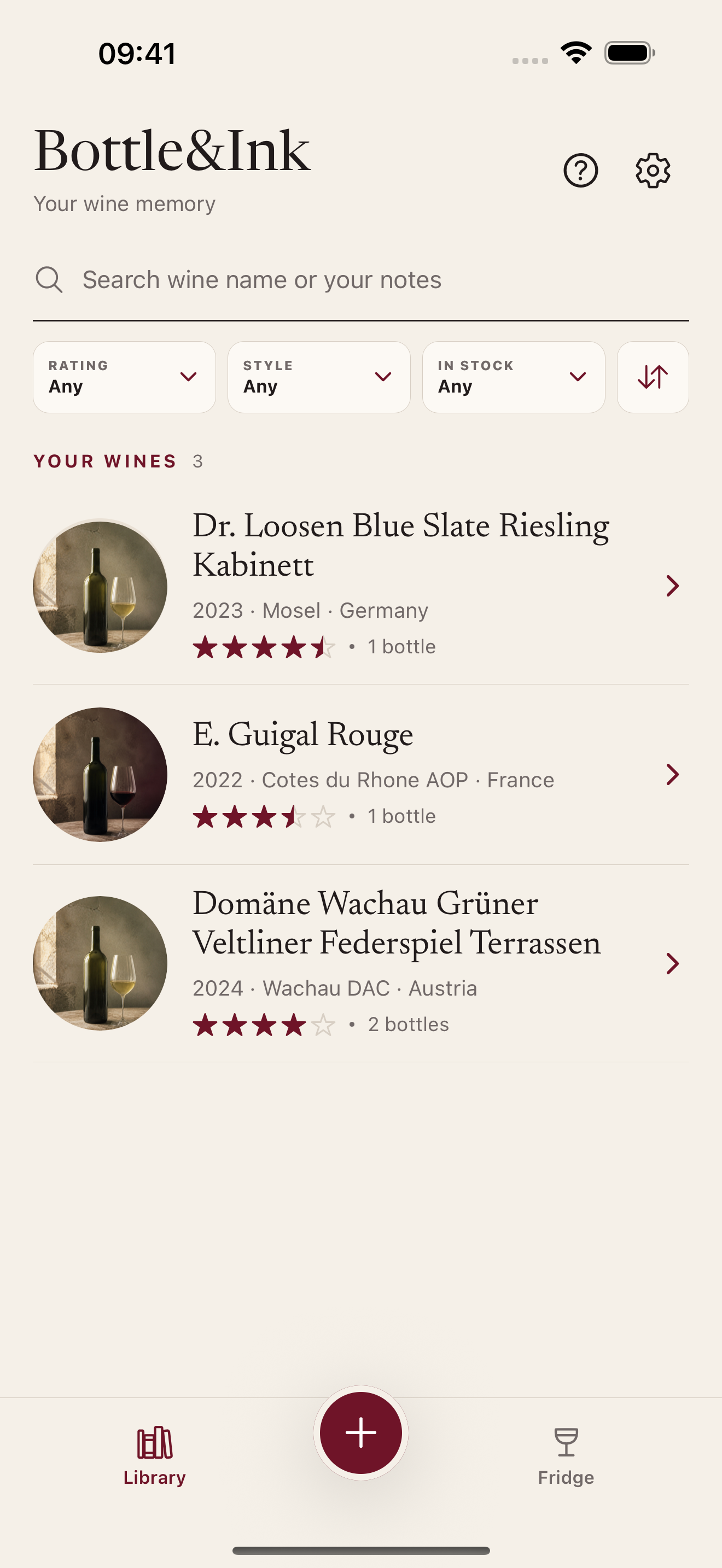
Bottle&Ink library with three sample wines, personal ratings, filters and bottle counts.

Tasting notes

A few words
are enough.

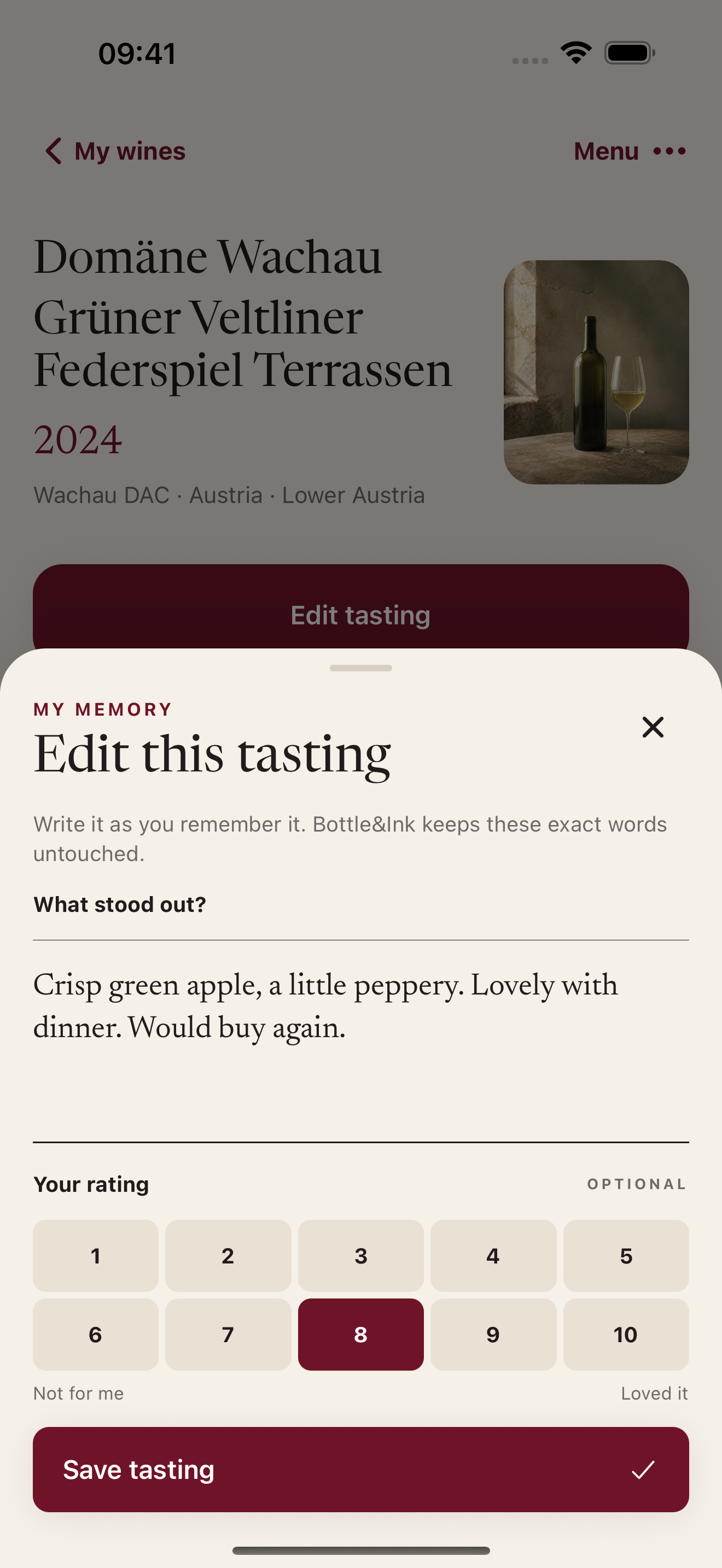
“A little peppery. Lovely with dinner. Would buy again.” Write what you thought in your own words, add a personal rating and keep each tasting with the wine.

Your taste, without needing the perfect vocabulary.

A tasting note in Bottle&Ink: Crisp green apple, a little peppery. Lovely with dinner. Would buy again. Personal rating: 8 out of 10.

Wine details

Get to know
the bottle.

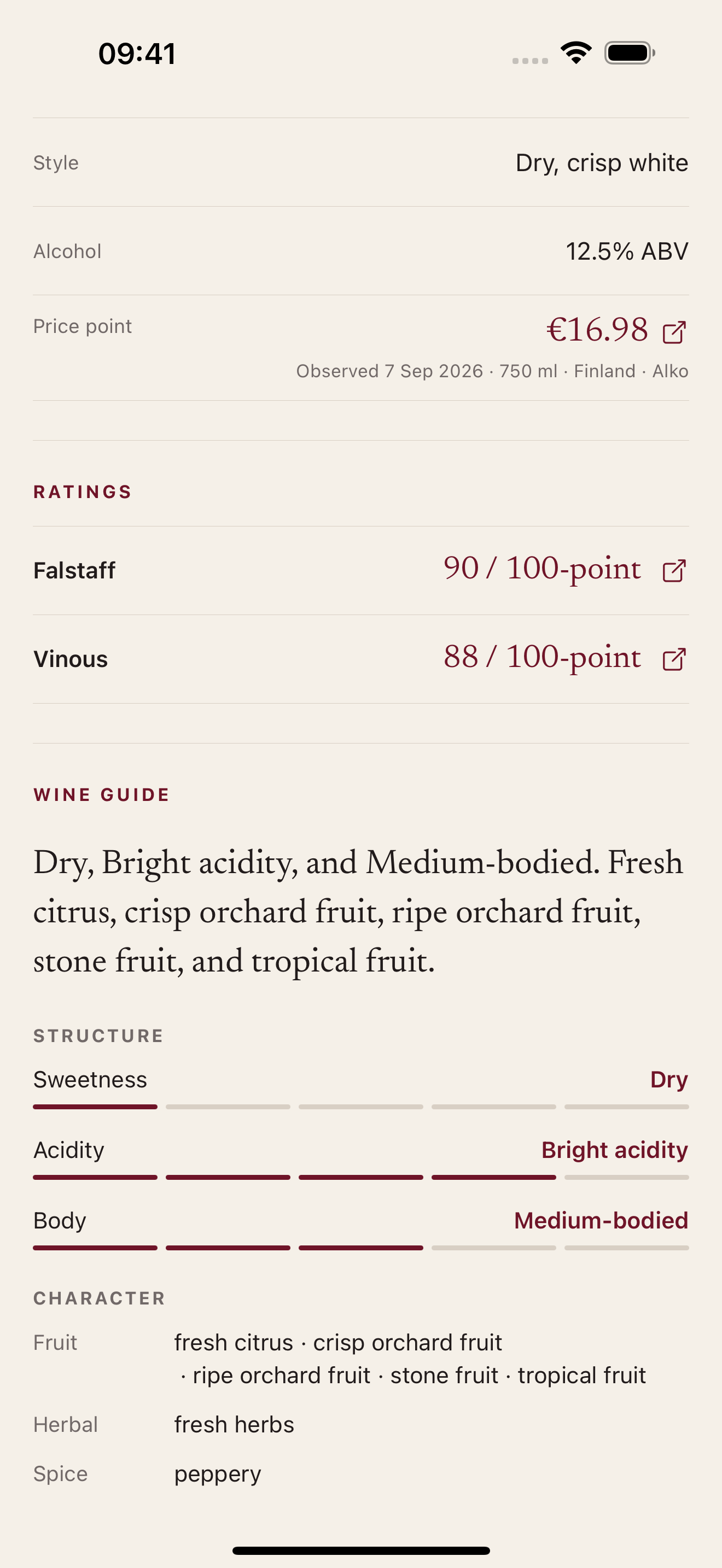
Find more of the story behind a wine, from its style and region to published ratings, prices and tasting guidance when available. A useful starting point when you’re curious.

Your own impressions stay alongside the wine’s details.

Wine details for a Grüner Veltliner, including style, a dated retailer price, published ratings and tasting guidance.

At home

Know what’s
waiting at home.

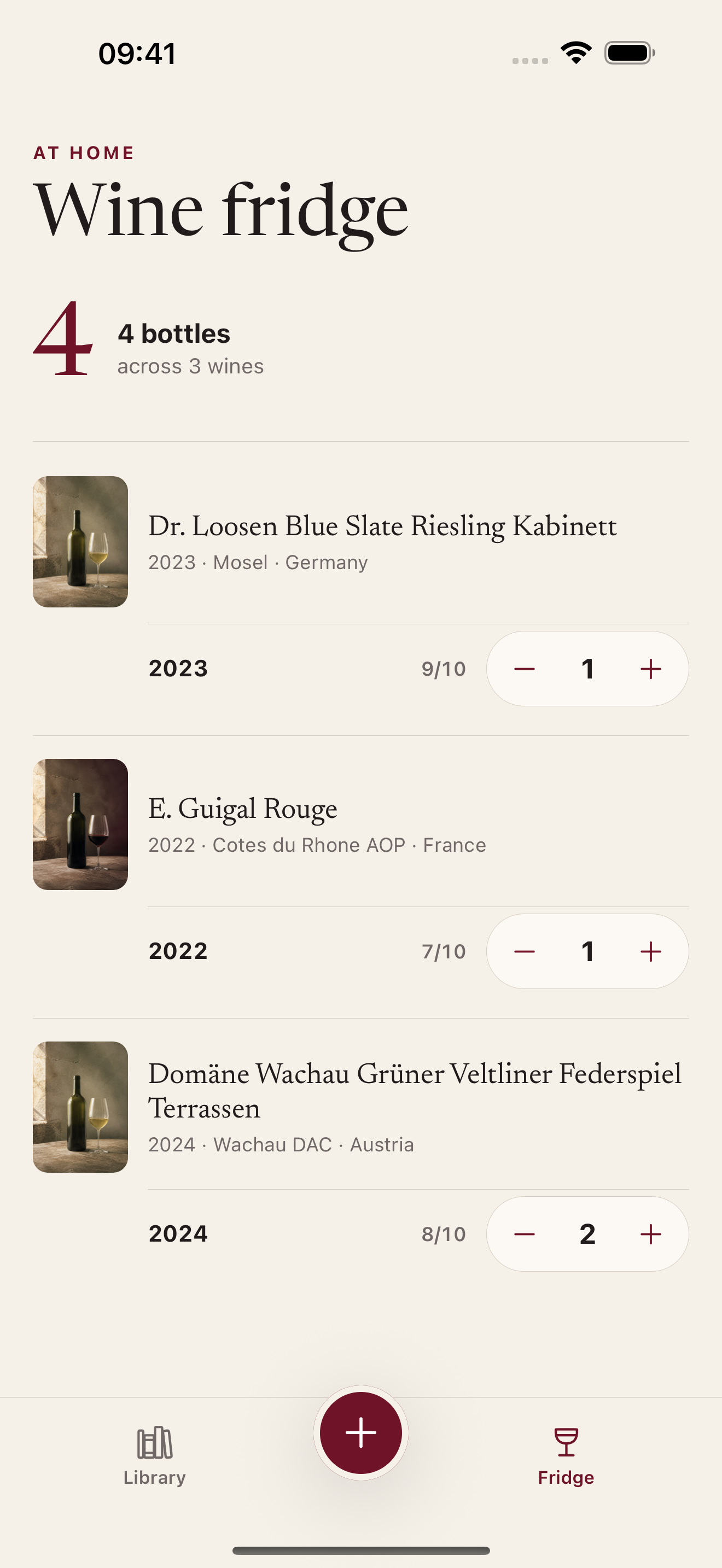
A wine fridge, a kitchen shelf or a couple of bottles for the weekend. Keep your bottle counts together and update them as bottles come and go.

See what you have before you choose what to open.

The wine fridge screen shows four bottles across three wines, with plus and minus controls for each bottle count.

Add a wine

Start with a label.
Or a memory.

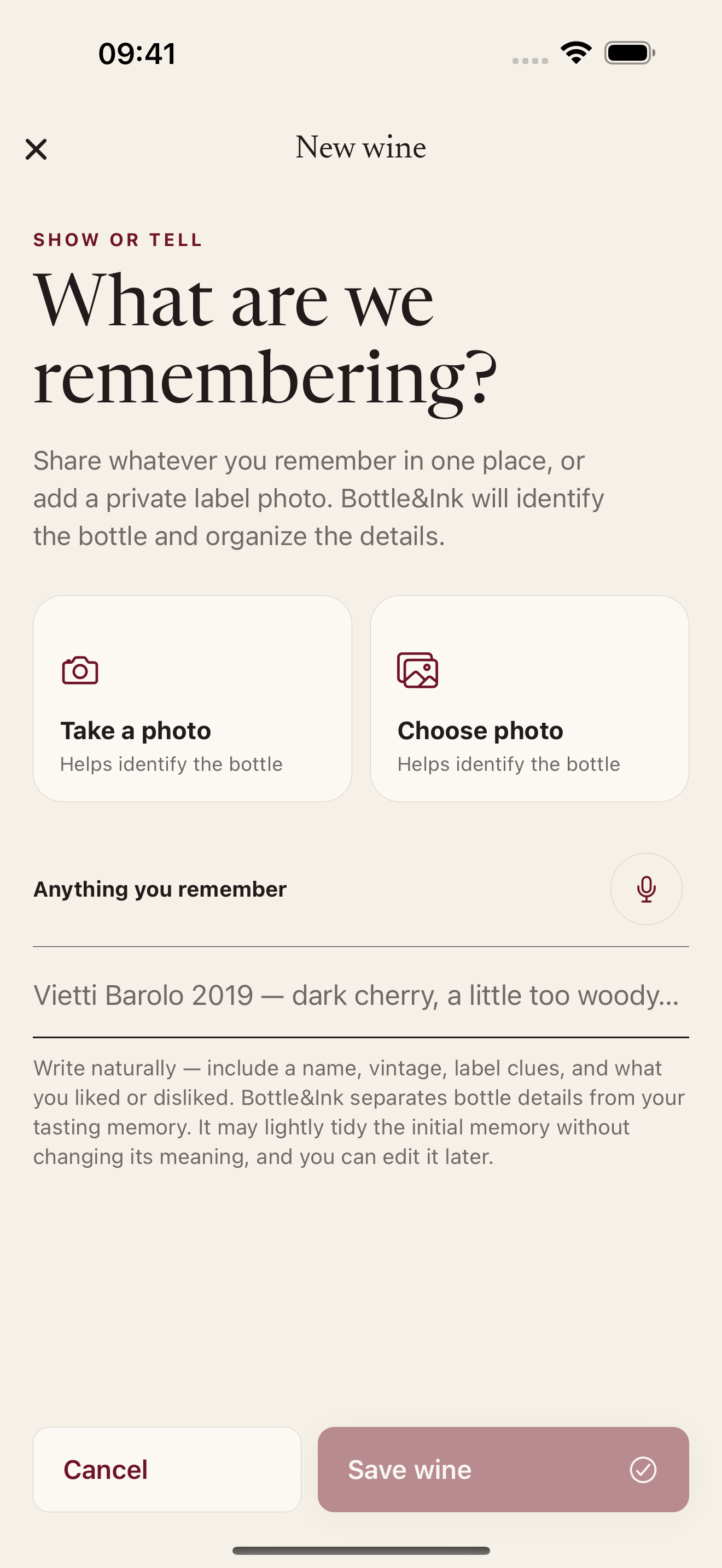
Take a photo of the label, choose one from your phone or describe what you remember. Bottle&Ink helps identify the wine and organise its details, so you have somewhere to start.

At the table or later, when the name comes back to you.

The new wine screen offers a label photo, an existing photo or a written description to add a wine.

Ask about it

What goes
with this one?

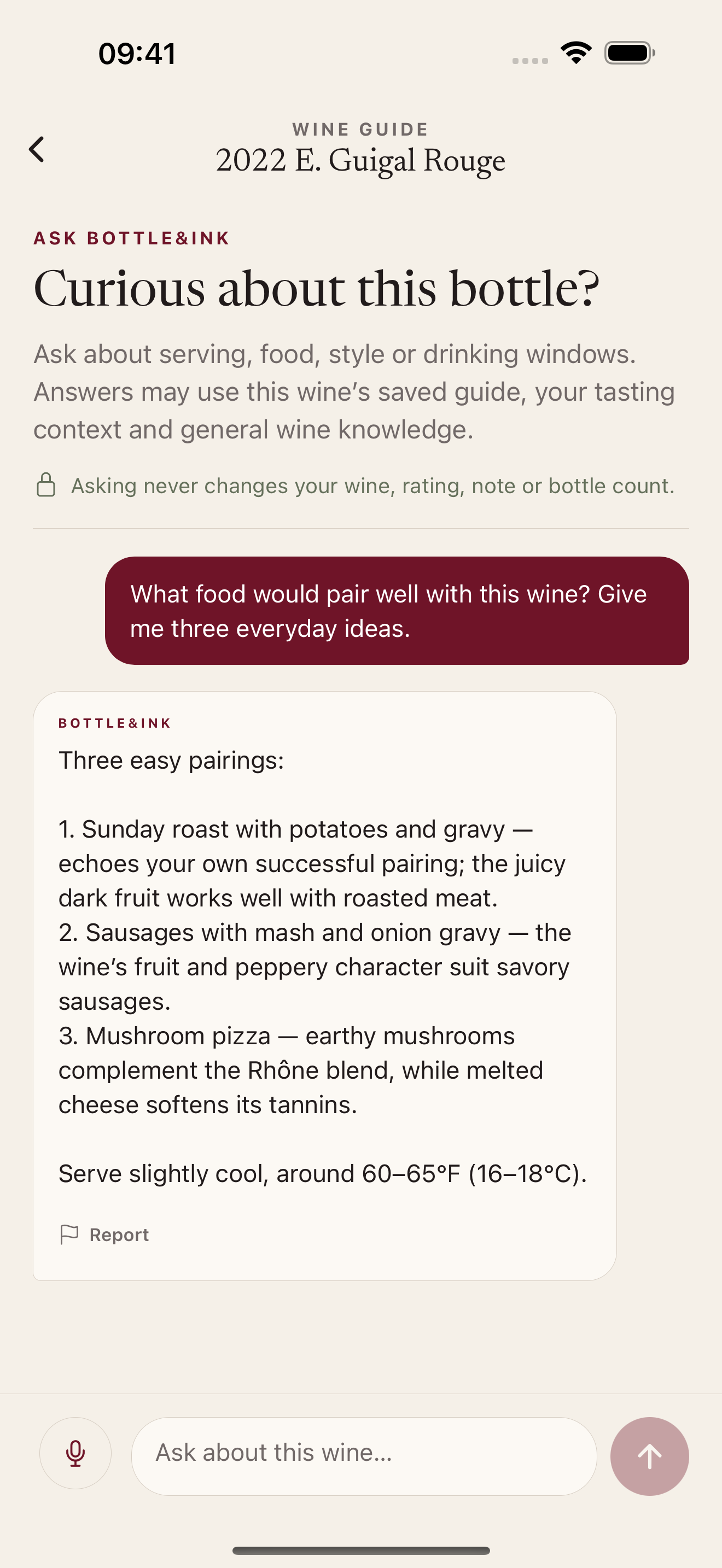
Ask about the wine you’re looking at. Get ideas for everyday food pairings, serving temperature or when to open it. A place for the little questions that come with enjoying wine.

A little more confidence for your next dinner.

A wine conversation showing a food-pairing question and three everyday meal suggestions, with serving advice.

Actual iPhone screens · Sample journal

Bottle&Ink

Start with a wine you know.

Add it with a label photo or a short description.

Available for iPhone and Android.

App StoreGoogle Play